
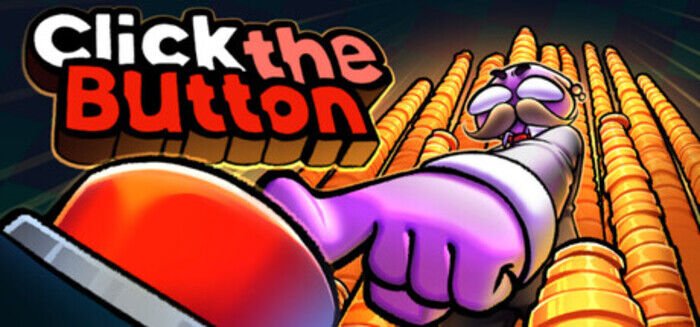
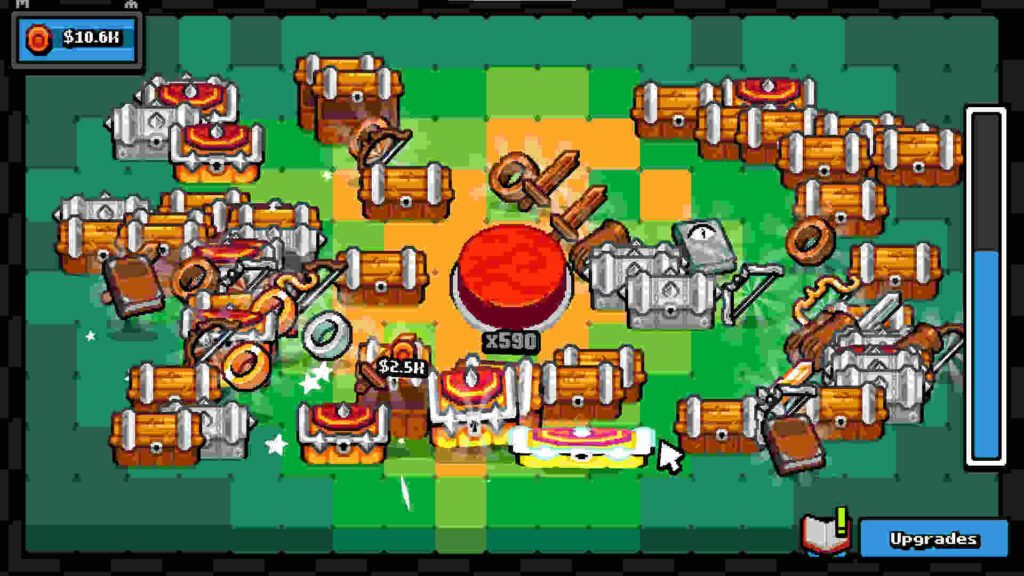
At first glance, Click the Button looks almost too simple to be a full game. There is a button, and the main idea is to click it. But every click leads to something else: chests, items, money, upgrades, skills, and a growing collection of rewards. Instead of trying to impress players with a huge world or complicated combat system, the game focuses on a small gameplay loop and makes that loop the entire experience.
Developed and published by LoopCap, Click the Button was released for PC on August 26, 2026. It falls into the Casual, Indie, and Simulation categories, with incremental and idler elements playing a major role in its design. The game is single-player and also includes Steam Achievements and Steam Cloud support.
Game Overview
- Title: Click the Button
- Developer: LoopCap
- Publisher: LoopCap
- Release Date: August 26, 2026
- Genre: Casual, Indie, Simulation
- Mode: Single-player
- Platform: PC
- Engine: Godot
- Storage: 300 MB
- Languages: English and several additional interface, audio, and subtitle languages
The official game description is intentionally short because the concept is straightforward: click the button, receive chests, collect items, earn money, manage resources, unlock skills, and become stronger.
There is also a free demo available, which gives players a chance to understand the central gameplay before purchasing the complete version.
What Is Click the Button About?
There is no traditional adventure story here with characters travelling across a large map or fighting through a campaign. Instead, the progression itself becomes the reason to keep playing.
Every click contributes to your progress. Chests provide rewards, those rewards become useful resources, and money can be invested into improvements. As your collection grows, the game gives you more reasons to keep clicking and experimenting with the available systems.
This makes the game especially easy to understand. You do not need to spend an hour learning controls or watching long tutorials. The basic concept can be understood almost immediately.
That simplicity is also part of its appeal. Click the Button is designed for short sessions where you can make some progress without needing to commit to a long gaming session. KOTAMON
Gameplay
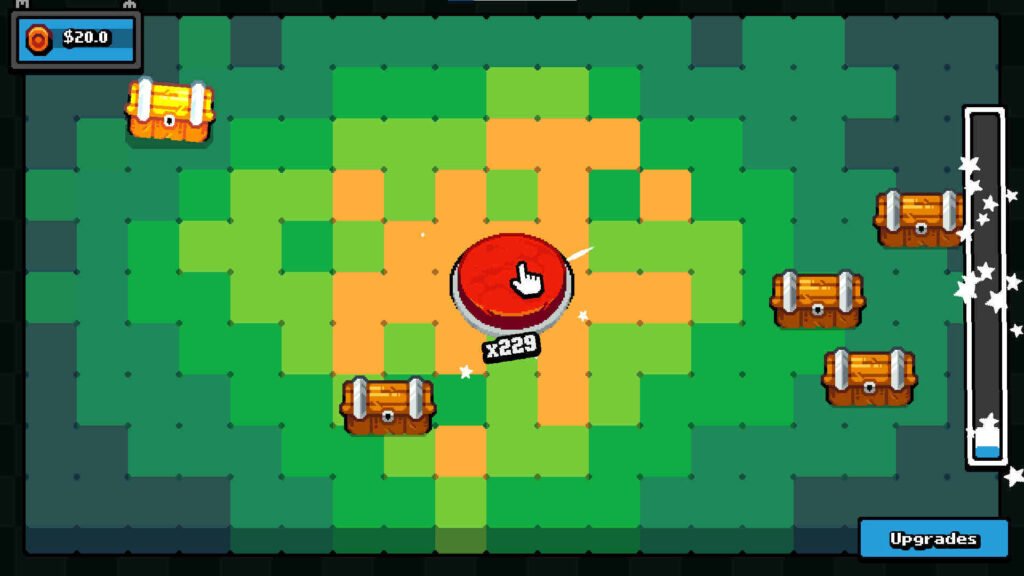
The main gameplay loop revolves around the button itself. You click it repeatedly and gradually build up the resources needed to improve your progress.
Chests are an important part of the loop because they turn simple clicking into a reward system. Instead of every click feeling exactly the same, you are working toward additional rewards and items. Collecting becomes another reason to continue playing.
Money also has an important role. Once you begin earning enough, you can invest resources into upgrades and skills. This creates a basic decision-making layer: rather than simply clicking forever, you need to think about how you want to improve your progress.
Progression and Upgrades
Progression is where Click the Button becomes more interesting than its name suggests.
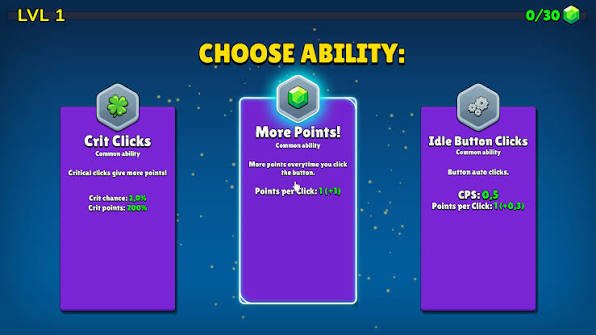
The first few minutes are naturally focused on understanding the loop. Once you start collecting resources, however, upgrades become more important. You are no longer clicking just to see the number increase. You are clicking because the next upgrade can make the following part of the game more efficient.
The skill system gives the progression some direction as well. Players can improve their abilities rather than simply collecting money without purpose.
This type of design is common in incremental games, but Click the Button keeps the presentation compact. There is no enormous interface filled with dozens of confusing menus. The experience is designed to remain approachable.
Collecting Items
Collection is another major reason to continue playing.
The game encourages you to gather different items and work toward completing your collection. Some rewards are simply useful for progression, while others provide the satisfaction of finding something you did not have before.
The colorful pixel-art presentation works well with this idea. Items feel like small collectibles rather than dry numbers on a spreadsheet.
Visual Style
Click the Button does not attempt to deliver realistic graphics. Its presentation is built around colorful 2D pixel-style visuals.
That decision fits the gameplay perfectly. The game is small, simple, and focused on quick interactions, so a lightweight visual style keeps everything easy to understand.
The button itself is naturally the center of attention, while the various items and rewards provide visual variety around it. It is not the kind of game you play for graphical technology, but the art direction matches its casual personality.
My Personal Experience
The first thing I noticed about Click the Button is how quickly it gets to the point. There is almost no barrier between starting the game and understanding what you are supposed to do. You click, receive rewards, check your progress, and decide what to improve next.
The satisfying part is watching a very small action gradually turn into noticeable progress. A button click seems meaningless on its own, but after enough upgrades, collected items, and improved resources, that same action becomes part of a larger progression loop.
At the same time, players expecting a long campaign should keep their expectations under control. The concept is deliberately small, and some players may feel that they have seen most of what the game offers relatively quickly. Community feedback includes praise for its simple idea and low price, while some players have also criticized its short overall length.
Multiplayer – Is Click the Button Multiplayer?
No. Click the Button is designed as a single-player game.
The Steam listing specifically identifies single-player as its supported gameplay mode. There is no advertised online co-op or competitive multiplayer mode.
That is not necessarily a problem because the entire design is based around personal progression and collecting. You are essentially trying to improve your own results rather than compete against another player.
Performance and System Requirements
Minimum Requirements
- OS: Windows 10
- Processor: Intel Core 2 Duo E8400 or AMD Phenom II X2 550
- RAM: 4 GB
- Graphics: Nvidia GeForce 8800 GT 512 MB or AMD Radeon HD 7570 1 GB
- Storage: 300 MB available space
Pros and Cons
Pros
- Very easy to understand
- Lightweight and accessible
- Low system requirements
- Simple but satisfying progression loop
- Lots of small collectible goals
- Colorful pixel-art presentation
- Supports Steam Cloud
- Free demo available
- Good choice for short gaming sessions
Cons
- The basic gameplay can become repetitive
- Not designed for players looking for action or exploration
- The overall experience can feel short
- Limited depth compared with larger simulation or management games
- No multiplayer mode
How to Download Click the Button
The safest way to get the PC version is through an official digital storefront such as Steam. The full game is commercially available there, and a free demo is also provided for players who want to try the concept first.
Avoid downloading unofficial installers or modified copies from unknown websites. Apart from potential security problems, unofficial versions may not provide the same updates, achievement support, or Steam Cloud functionality as the legitimate release.
For a small game like this, trying the official demo first is probably the best approach if you are unsure whether incremental clicking games are your type of thing.
Should You Play It?
If you enjoy clicker, incremental, idle, or collection-focused games, Click the Button is worth trying, especially because the concept can be tested through its official demo.
The game is not trying to be a massive experience. Its strength comes from keeping the idea small and making the progression easy to understand. You click, receive rewards, improve your setup, and continue working toward better results.
However, players looking for a deep story, challenging combat, exploration, or a long-term multiplayer experience should probably look elsewhere. The game is much better understood as a compact casual title designed around a simple reward loop.
Conclusion
Click the Button is a good example of how a very small idea can become a complete game when progression is designed around it. The concept starts with something almost comically simple—pressing a button—but gradually adds chests, collectibles, resources, upgrades, skills, and customization.
Its low hardware requirements make it easy to approach, while the colorful presentation keeps the experience pleasant. The biggest question is not whether the game works; it does. The real question is whether you enjoy this particular type of incremental gameplay enough to keep clicking once the novelty wears off.